
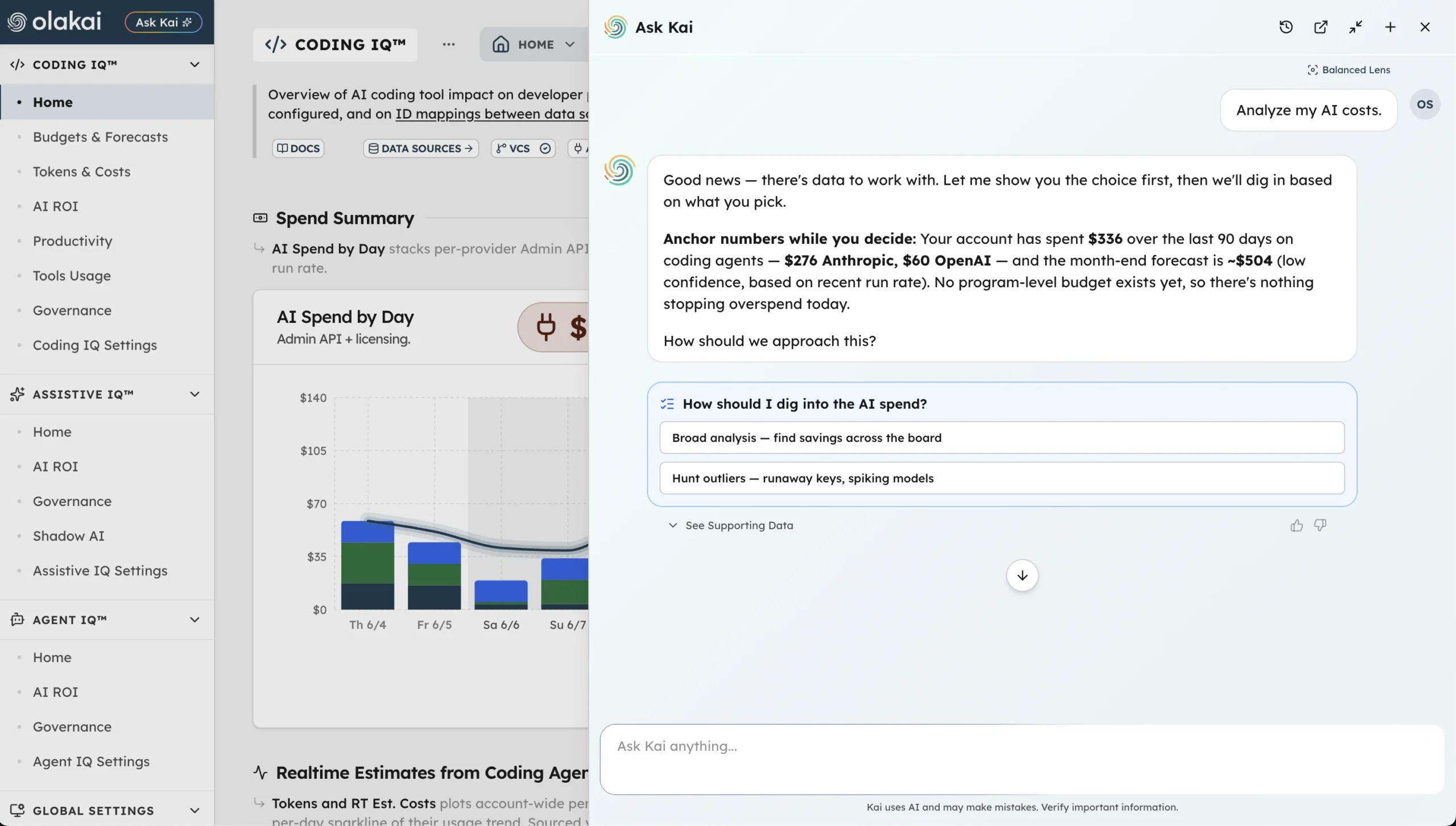

Every vendor in enterprise AI analytics now claims some version of “ask questions in plain English.” Most of what that actually means, once you look closely, is a chat window bolted onto an existing dashboard — a nicer way to ask for a chart you could already find yourself. Kai, Olakai’s assistant, makes a different and more testable claim: it can also take action, with the exact change surfaced for approval before anything actually happens. That’s worth proving with the real catalog of things Kai can do, not just asserting.
One data layer, five ways to hear the answer
Kai sits on top of the same underlying data as Olakai Agentic (Coding IQ and Agent IQ) and Olakai Assistive, answering questions across both in a single conversation instead of forcing a switch between dashboards. Every answer comes with transparent reasoning — the logic chain behind the conclusion, not just the number — which is a stated design principle, not an incidental feature.
What makes Kai’s answers actually usable across a company, rather than just for the person who built the dashboard, is Kai Lens: a perspective you choose once per conversation that reshapes how the same underlying data gets framed. Balanced is the default, adapting depth to the question. Executive leads with bottom-line ROI and strategic recommendations and skips implementation detail. Finance & Operations leads with cost figures and budget projections, in tables built for comparison. Legal & Compliance leads with compliance status and risk exposure in audit-ready language. Technical includes configuration details and API references. Ask the same question — “How are our AI agents performing?” — through each lens and you get four genuinely different answers: an Executive framing highlights overall ROI, top performers to scale, and risks to address for a leadership briefing; Finance & Operations shows cost-per-agent and month-over-month spend trends in tables; Legal & Compliance surfaces governance compliance rates and policy gaps; Technical lists agents by execution count, failure rates, and specific configuration issues. The lens is auto-suggested from the asker’s job title — a VP of Engineering sees Executive suggested by default, a Staff Engineer sees Technical — but it’s always overridable.
What Kai can actually do, not just answer
The differentiated part of Kai isn’t the natural-language question-answering — it’s the action catalog behind it. Kai can manage users directly: “Add john@company.com as an Analyst,” “Make Sarah an Admin,” “Deactivate John’s account.” It can manage Shadow AI governance: “Approve Grammarly as officially licensed,” “Mark ChatGPT as high risk,” and even bulk actions like “Block all AI tools rated high risk that have fewer than 10 interactions” — a request that would otherwise mean clicking through a table row by row. It can draft and manage acceptable-use policies, including generating one from a named compliance framework: “Create governance policies aligned with the EU AI Act for our HR department.” And it can handle enforcement follow-through — sending a reminder to users who violated a policy, or an escalation like “Sarah’s had 3 violations this month — send an escalation to her manager.”
Kai’s reach extends into AI spend governance too: it can create, update, and archive Coding IQ cost-center projects and assign a service API key into one, which turns a long backlog of unassigned keys from a tedious manual triage session into a short conversation.
Confirmation-first, not silent
None of this works, from a trust standpoint, if a chat interface can quietly reassign a user’s role or block an AI tool the moment someone phrases a request slightly wrong. Kai’s write actions are ADMIN-gated and confirmation-first: every change Kai proposes gets surfaced explicitly for approval before it’s applied, not executed silently the moment the request is understood. That design choice is the actual answer to the obvious objection — “you’re letting a chatbot make changes to my governance policy?” — and it’s the reason the honest framing for Kai isn’t “an AI that runs your platform,” it’s “an AI that tells you exactly what it’s about to do, and waits.”
Why this matters beyond convenience
The pitch to a CIO or Chief AI Officer isn’t “ask questions in English” — every vendor says that now, and it doesn’t differentiate anything. It’s “ask a question in English and get an answer that comes with an offer to fix what it found, in the same conversation, gated by a permission check and a confirmation step.” That’s a materially different product than a read-only chat wrapper, and it’s the reason Kai belongs to both Olakai Agentic and Olakai Assistive rather than being siloed to one product — a governance question rarely respects the boundary between coding tools and chatbots, and neither should the assistant answering it.
Kai is available immediately to any account with Coding IQ, Agent IQ, or Assistive IQ data flowing in — no separate setup required. It’s the closest thing on the platform to a business-friendly interface in the literal sense: a Legal & Compliance leader and a Staff Engineer can ask the exact same underlying data the exact same question and both walk away with an answer built for them.
Want to see what Kai can tell you — and do for you — with your own AI usage data? Talk to an Expert.