
Key Features | Measure ROI · Govern Risk · Agent IQ · Custom KPIs · Monitor AI · Shadow AI · Integrations · Kai
Connect every AI tool in your stack.
Model providers · Coding tools & VCS · Copilots · Agents · Automation platforms · HR & identity.
Every AI tool you run. Already connected.
Your AI usage, cost, and risk are scattered across a dozen vendor dashboards — each showing only its own slice, none tying a dollar to a team, a project, or an outcome. Olakai connects to all of them out of the box and normalizes everything into one view, so you can finally answer “is our AI working, and what is it costing us?”
How Olakai integrations work
Every Olakai integration follows the same pattern. Olakai connects to the system where the AI activity already lives, reads what that system already records, and never writes back to it. The connected system stays the source of truth for its own structure, and Olakai normalizes what it reads into one vendor-neutral model of usage, cost, value, and risk. That is why an n8n workflow, a Microsoft 365 Copilot seat, and a Claude Code session show up on the same ROI dashboard and under the same governance policies, in the same units, and why connecting a new source means adding a key, not running a rollout.
What happens after the connection is the same for every source, too. Each interaction Olakai reads is classified by task, scored for time saved and value created, priced against the cost the provider actually reported, and checked for sensitive data and policy violations before it reaches a dashboard. Nothing is sampled and nothing is self-reported. A new source therefore changes the picture rather than the method: adding Zapier or Workday extends the same analysis to more of your organization, and Kai can answer questions across all of it the moment the first sync completes.
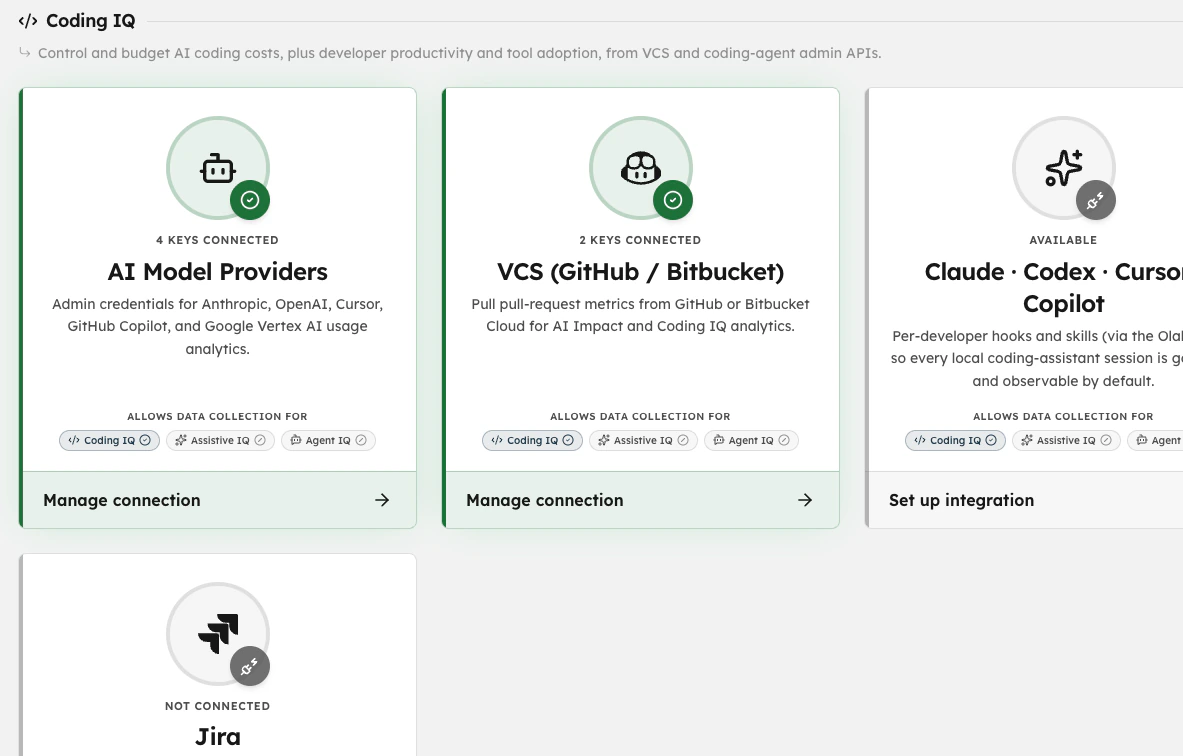
Model providers
Anthropic (Claude Code)
Per-developer token usage and reconciled spend from the Claude admin API.
OpenAI (Codex & ChatGPT)
Usage and cost across Codex and ChatGPT Enterprise, by user and model.
Google (Gemini & Vertex)
Usage from Cloud Monitoring plus a reconciled bill from your BigQuery export — a real bill, not a token estimate.
AWS (Bedrock)
Model usage and spend across Amazon Bedrock, per AWS account and region.
Azure OpenAI
Token and request totals from Azure Monitor and cost from Azure Cost Management, per deployment, for Azure OpenAI and Azure AI Foundry.
Coding tools & version control
GitHub, GitLab & Bitbucket
Pull-request analytics straight from your VCS — AI-assisted vs. human PRs, cycle time, and AI code ratio. GitHub, GitLab (SaaS and self-managed), and Bitbucket Cloud. No agent, no SDK to install.
Cursor
Seat usage, model mix, acceptance, and spend from the Cursor admin API.
GitHub Copilot
Seat assignment, activity, and spend from the GitHub Copilot admin API, so every Copilot license is tied to a developer and an outcome.
Coding agent hooks
Per-session telemetry for Claude Code, Codex CLI, Cursor agent mode, and Gemini CLI through a lightweight local hook installed by the Olakai CLI. Powers the Coding Agent Activity feed and head-to-head tool comparison.
Workforce AI
Browser extension
Chrome, Edge, and Firefox extension that captures prompts and responses across ChatGPT, Claude, Gemini, Copilot, Perplexity, and 800+ AI-enabled apps. Deployable at scale through your MDM.
Microsoft 365 Copilot
Copilot activity across Word, Excel, PowerPoint, Outlook, Teams, and SharePoint, plus Copilot Studio and declarative agents in your tenant — see the featured integration below.
Automation platforms
n8n
Connect your n8n instance once with a read-only key. Every AI step in every workflow becomes a monitored agent with cost, time saved, value, ROI, and governance per step. Nothing to change in the workflows. Read why run counts are not ROI.
Zapier
Trigger-based capture of AI output from the SaaS apps your teams already run through Zapier: meeting transcribers, note-takers, and conversation intelligence tools.
HR & identity
Workday
Daily read-only roster sync: new hires, departments, titles, managers, cost centers, and terminations, so ROI and spend roll up to the right team without manual upkeep.
Okta SCIM & SSO
OIDC single sign-on and SCIM provisioning keep access and the user directory in step with your identity provider.
SDK & API
SDK & REST API
TypeScript and Python SDKs and a REST endpoint for the agents and applications you build yourself. When a provider reports its own charge per call, as OpenRouter does, Olakai uses that exact figure instead of an estimate.
On-premises deployment
Every integration above also runs inside your own infrastructure, including air-gapped, with the same connectors and the same dashboards.
Featured partner
Native Microsoft 365 Copilot analytics, the moment you connect.
Olakai is a Microsoft partner with native access to your Microsoft 365 Copilot data — nothing to instrument. Connect once and immediately see how Copilot is used across Word, Excel, PowerPoint, Outlook, Teams, and SharePoint, with adoption, seat-level ROI, spend, and governance updating in near real time — the visibility Microsoft’s own dashboard won’t give you, alongside the rest of your AI stack.
Immediate Microsoft 365 visibility
From the moment you connect, see Copilot usage patterns across Word, Excel, PowerPoint, Outlook, Teams, and SharePoint — by app, team, and workflow. No instrumentation, no waiting on exports.
Copilot Studio and declarative agents, measured as agents
Every Copilot Studio or declarative agent tied to your tenant is discovered automatically and measured in Agent IQ alongside the agents you build elsewhere — cost, outcomes, and governance per agent.
Seat-level Copilot ROI
Prove whether thousands of M365 and GitHub Copilot licenses are actually paying off, user by user — the metric that justifies, or trims, the next renewal.
One view with your whole stack
Compare Copilot side by side with Anthropic, OpenAI, Google, AWS, Azure, Cursor, and your agents. Make vendor decisions on data, not demos.
Integration questions, answered
What integrations does Olakai offer?
Olakai connects to model providers (Anthropic, OpenAI, Google Gemini and Vertex, AWS Bedrock, Azure OpenAI), coding tools and version control (GitHub, GitLab, Bitbucket, Cursor, GitHub Copilot, and local hooks for Claude Code, Codex CLI, Cursor and Gemini CLI), workforce AI (a browser extension covering 800+ apps and Microsoft 365 Copilot), automation platforms (n8n and Zapier), HR and identity systems (Workday, Okta SCIM and SSO), and an SDK and REST API for custom agents.
Do I need to install an SDK to use Olakai?
No. Most Olakai integrations read data the source already records: provider admin APIs, pull-request history, Microsoft 365 Copilot activity, n8n workflow runs, or the browser extension. The SDK and REST API are for agents and applications you build yourself and want to measure at the call level.
Does Olakai write to or change the systems it connects to?
No. Every Olakai integration is read-only. Olakai reads usage, cost, and activity from the connected system and never modifies workflows, repositories, tenants, or HR records. Connected systems stay the source of truth for their own structure.
How long does it take to connect Olakai to my AI stack?
Minutes per source. Drop in a provider admin API key, point Olakai at your GitHub, GitLab, or Bitbucket organization, or connect n8n with a read-only key, and data begins flowing on the first sync. The n8n connector reads back 14 days of history, and the VCS import classifies historical pull requests on the first run.
Can Olakai measure AI inside automation workflows like n8n?
Yes. The n8n integration turns every AI step in a workflow, such as an AI Agent node, a Text Classifier, or a direct OpenAI or Anthropic call, into a monitored agent in Agent IQ with execution cost, time saved, value created, ROI, and governance compliance per step. Completed runs are scored on the quality of their output, not on whether they finished.