
Use case: FinOps for AI
FinOps for AI: see every AI dollar before the invoice does.
98% of FinOps teams now manage AI spend, up from 63% a year earlier. Yet 71% of enterprises can see their total AI bill while only 44% know the cost per unit of work. Olakai is the FinOps layer for AI: allocation by team, project, and developer, budgets with alerts, run-rate forecasts, and cost per outcome, across Claude Code, Cursor, GitHub Copilot, OpenAI Codex, Gemini, and the agents built on them.
Interactive example of Olakai’s spend map. Every AI dollar in the period is drawn as a block sized by value, grouped first by motion (token-billed APIs, licensed seats, agent runs), then by team or project, then by item. Hatched blocks are spend with no assigned owner or no active user: API keys that sit outside any project and seats nobody used. Open the spend table for the figures behind the map. Illustrative data from the Olakai demonstration environment, not customer data.
Usage-based pricing broke the budget cycle.
Seats were predictable. Tokens are not. The FinOps Foundation reports that AI cost is now the top forward priority for FinOps teams, and that visibility, allocation to business units, and proving value are the three hardest problems. An IDC study found 71% of organizations have little or no control over where their AI costs come from, and Gartner expects at least half of generative AI projects to overrun budget through 2028. Finance usually learns about the overrun from the invoice.
Olakai applies the FinOps discipline, inform, optimize, operate, to AI spend, and ties every dollar to the outcome it bought. The Foundation’s own principle is to measure the use case, not the token. That is what FinOps for AI looks like on the Olakai platform when the spend is Claude Code and agents instead of EC2.
98%
of FinOps teams now manage AI spend, up from 63% a year earlier (State of FinOps 2026)
44%
know their AI cost per unit of work, while 71% can see only the total bill (Deloitte, 2026)
50%+
of generative AI projects are expected to overrun budget through 2028 (Gartner)
What you get
What you get with Olakai
Inform
Allocate every AI dollar
Spend by provider, team, project, developer, persona, and program, normalized across vendors. Showback first, chargeback when you are ready. Projects act as cost centers so shared API keys stop being a black hole. Spend governance is built into Olakai Agentic.
Operate
Budgets, forecasts, alerts
Monthly limits on any dimension. A month-end run-rate forecast with a confidence level. Alerts when spend crosses a threshold and, separately, when the forecast says it will. You hear about the overrun with weeks to act, not from the bill.
Optimize
Unit economics and waste
Cost per pull request, cost per agent execution, cost per resolved ticket. Idle seats and overlapping tools surfaced by Olakai Assistive, cost per agent execution by agent governance. The unit cost 56% of enterprises cannot produce, on a dashboard.
Olakai Agentic: cost per agent
Every agent has an operating cost. Olakai shows its return next to it.
Autonomous agents are the fastest-growing line in the AI bill and the hardest to see: a workflow that calls a model forty times a run has no seat and no invoice line of its own. Olakai attributes every run to the agent that made it and reports monthly operating cost, cost per execution, and the value the agent returned, so the expensive agent and the valuable agent stop being confused for each other. Combined with the budgets and forecasts above, it is the control finance has for everything else, applied to agents.
Interactive example of monthly operating cost per agent. Each bar is one agent, coloured by type; the tabs re-sort the list by monthly cost, cost per execution, or return, and the figures to the right show cost and cost per run. Illustrative data from the Olakai demonstration environment, not customer data.
Cost per agent, per month
Every run attributed to its agent and rolled up, with the agent type shown, so orchestrators and workers are costed separately.
Cost per execution
The unit cost that makes two agents comparable, and the number that moves when a loop or a prompt change doubles the calls.
Return beside cost
Value returned per agent on the same row as what it cost, sortable either way, so the retire list writes itself.
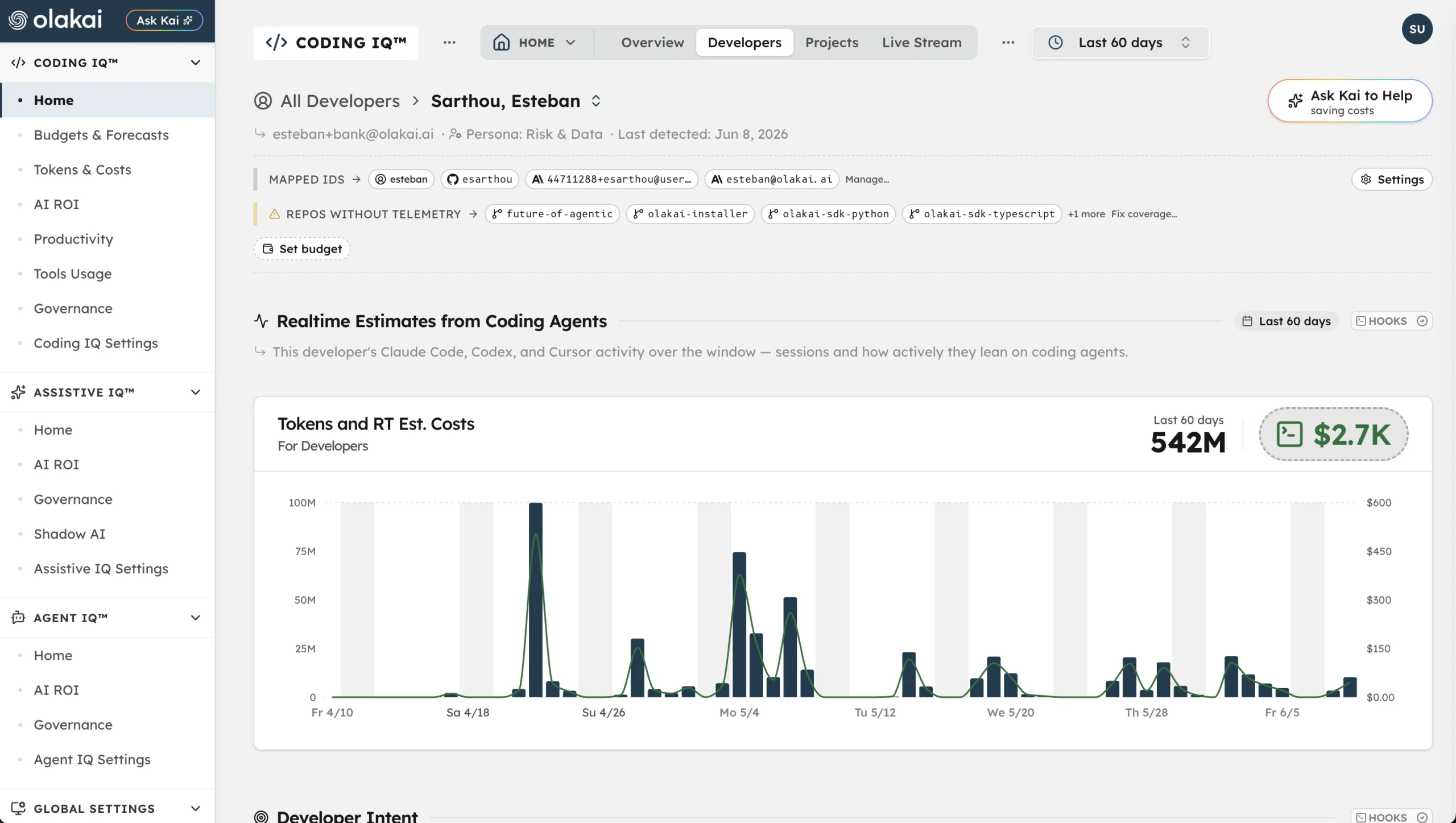
Olakai Agentic: cost per developer and per project
Allocation you can defend, down to the developer.
Per-developer cost in Olakai is an honest allocation, not a fiction. Personal usage spend is attributed directly. Seat licenses are pro-rated across the projects a developer touches so project totals reconcile account-wide. Where a provider exposes a real bill, Olakai reconciles to it: Google Vertex AI costs come from your own BigQuery billing export through the Google integration, not a token estimate. GitHub Copilot is seat-based and is treated as such.
- Cost per developer, per project, and per provider, with the attribution method shown
- Real bills reconciled where available; estimates labeled as estimates
- Cost per PR by provider, so tool standardization is a finance decision with data
Olakai Assistive and Agentic: seat economics
Seats you pay for versus seats in use.
Usage-based spend gets the attention, but seat licenses are still the bigger line for most AI programs. Olakai maps every licensed app’s purchased seats to the people who actually used it this month, so idle seats carry a dollar figure and an oversubscribed app shows up before the vendor’s true-up does. Combined with the adoption cohorts in Olakai Assistive, it is the renewal conversation with the numbers already on the table.
Interactive example of seat utilisation across licensed AI apps. Each bar is one application: the full bar is the seats purchased, the filled portion is the people who were active in the period, the hatched portion is seats paid for with no activity, and a bar that overflows in blue is an app with more active users than seats, which usually means shared accounts or an overdue true-up. The side panel totals monthly seat spend and the idle-seat cost. Illustrative data from the Olakai demonstration environment, not customer data.
Purchased versus active
Every licensed app, seats bought against people active this period, with the idle cost totalled.
Oversubscription flagged
More active users than seats means shared accounts or a true-up on its way. You see it first.
Light users named
People under the activity threshold, so a smaller tier or a reclaimed seat is a list, not a guess.
Kai: conversational FinOps
Ask where the money went. Then change the budget in the same sentence.
Kai reads the same cost data and answers in plain English, with the reasoning shown. It also acts: create a project, set a budget, or alias a developer identity conversationally. Finance gets the answer without filing a ticket, and engineering gets the control without a spreadsheet.
- “Which teams are forecast to overrun their AI budget this month?”
- “What is our cost per PR on Cursor versus Claude Code?”
- “Set a $12,000 monthly budget on the payments team and alert me at 80%.”
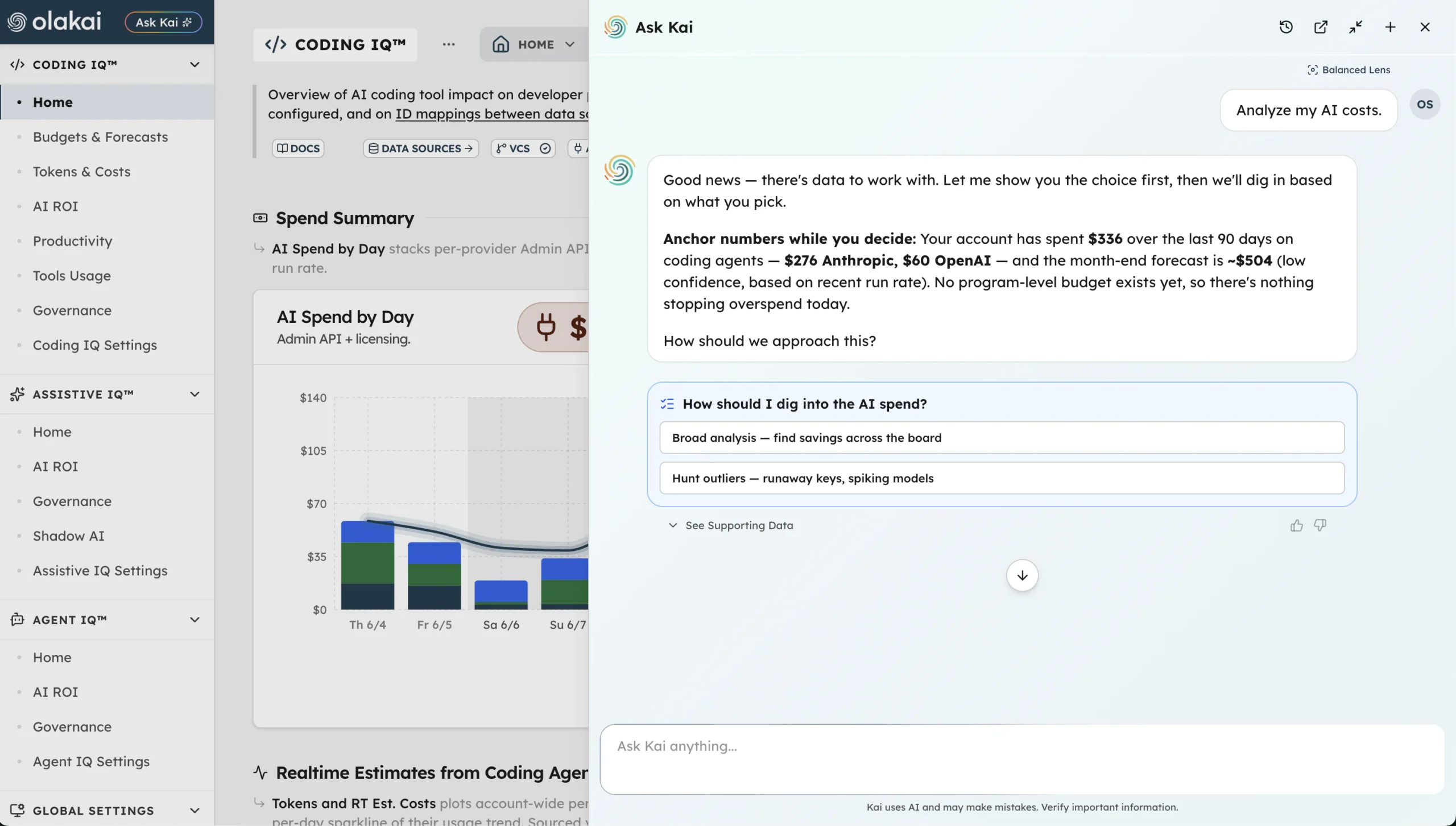
Forecasts are run-rate projections with a stated confidence level, not guarantees. Olakai says so on the screen, which is why finance trusts the number.
Related use cases
Cost is one half of ROI. Olakai gives you both halves from the same data.
“What did AI cost us this month, per team and per outcome, and are we going to blow the budget before the 30th?”
Spend you can allocate and forecast is the input. Return is the output, engineering is where most of the tokens go, and governance keeps the agents spending them inside policy. One platform, Olakai Agentic and Olakai Assistive, and the same measured data behind every answer.
Use case
AI ROI
Value created versus cost for every copilot, coding tool, and agent, rolled up to one number the board trusts.
Use case
AI Governance
Every tool and agent discovered, including shadow AI. Policy and DLP enforced at the point of use, audit trail kept.
Use case
AI Engineering Productivity
Cycle time, review time, and cost per PR for AI-assisted work, measured on your own repos. Nothing to install.