
Key Features | Measure ROI · Govern Risk · Agent IQ · Custom KPIs · Monitor AI · Shadow AI · Integrations · Kai
Measure What Matters Most
Custom Dashboards. Business Metrics. Real-Time KPIs.
Your AI dashboards are full of numbers nobody trusts: tokens, API calls, and latency that mean nothing to the CFO asking about ROI. Olakai lets you define the metrics your business actually counts, cost per resolution, time saved, revenue influenced, and tracks them in real time across every AI deployment, team, and vendor, with workflow-level drill-downs, side-by-side agent comparisons, and board-ready reports you can export to the BI tools you already use.
The problem
The AI Measurement Problem
Your AI dashboards are full of data that nobody trusts. Token counts, API calls, and model latency might impress engineers, but they mean nothing to the CFO asking “What’s the ROI?” The metrics your AI vendors provide measure activity, not outcomes. And the business metrics that actually matter—cost per resolution, time saved, revenue influenced—require manual assembly from a dozen different sources.
Without KPIs that speak your stakeholders’ language, AI investments look like cost centers instead of value drivers.
AI dashboards full of data that nobody trusts—and nobody acts on.
The solution
KPIs That Speak Your Language
Define the metrics that matter to your business—cost per resolution, time saved, revenue influenced—and track them in real time across every AI deployment, team, and vendor.
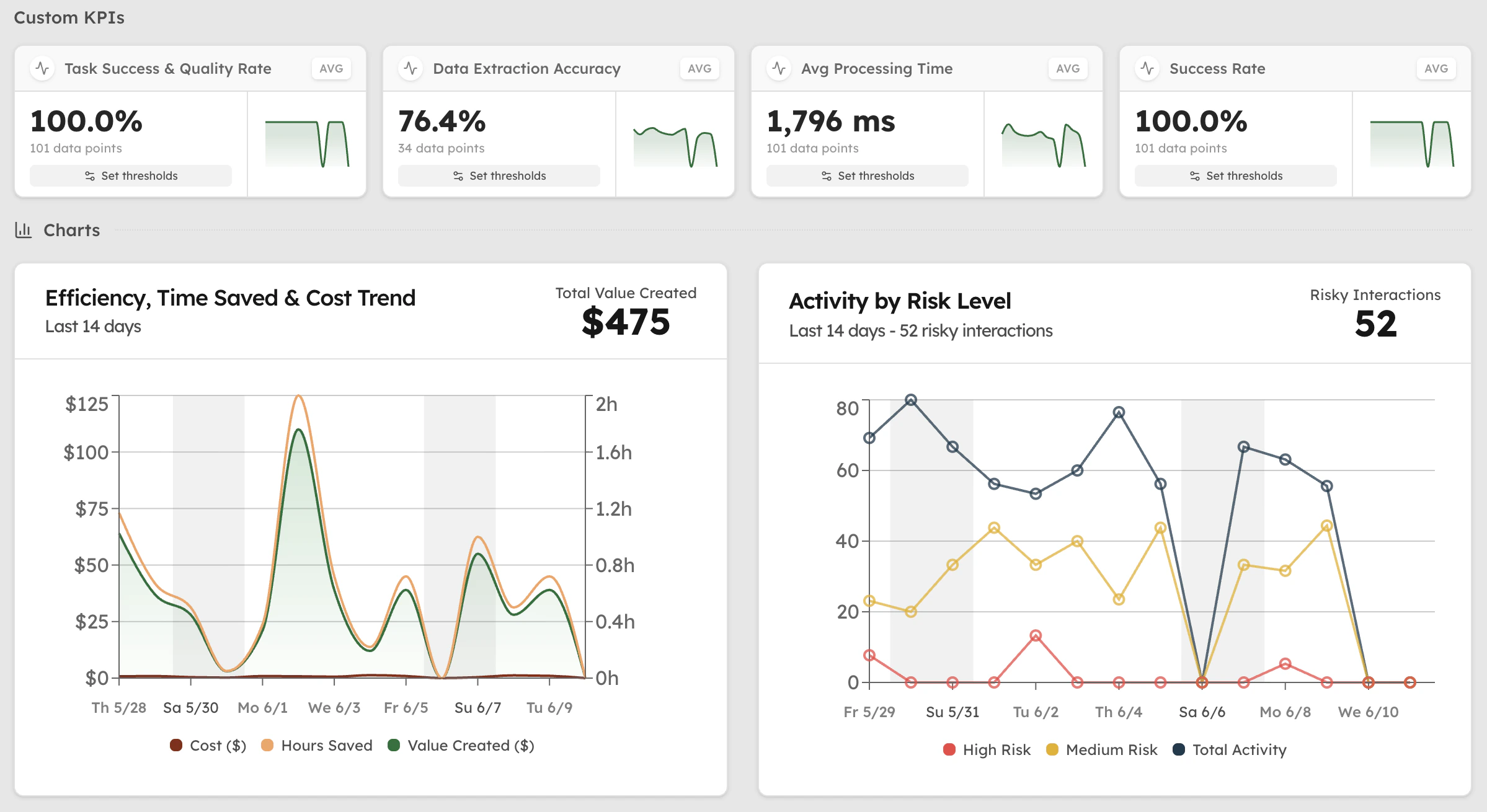
- 01Custom KPIsBuild metrics that map to your business goals—not your vendor’s. Define KPIs at the team, department, or enterprise level with thresholds that trigger alerts when things change.
- 02Workflow EfficiencyDrill into efficiency gains by workflow, task, and subtask. See exactly where AI delivers value—from data processing to strategic planning—with dollar amounts attached to every improvement.
- 03Agent ComparisonCompare AI agent and model performance side by side. Benchmark success rates, costs, and business impact across vendors to optimize your AI portfolio based on actual results.
- 04ROI ReportingGenerate board-ready reports that translate AI activity into business outcomes. Export to your existing BI tools or share dashboards directly with stakeholders who need to see the numbers.
Where it shows up
Pick your seat, get your answer.
 CFOYou need the return in dollars and the spend forecast before the invoice.FinOps for AI
 CISOYou need to see every AI tool in use and prove the policy held.AI Governance
 Head of AIYou run the program and answer the board, finance, and security from one place.AI ROI
 VP EngineeringYou need to know which AI coding tools pay off, for which teams, at what cost.AI Engineering Productivity